系统介绍
基于SpringBoot和Vue实现的个人健康管理系统采用前后端分离的架构方式。系统设计了两种角色,分别是用户和管理员,每种角色拥有不同的权限。用户可以在系统中进行注册、登录、健康概览、身体指数记录、血压记录、血糖记录、水分摄入记录、体温记录、饮食记录、运动记录、健康知识、个人信息等功能模块的操作。管理员可以在系统中进行登录、健康数据、健康记录、用户管理、饮食记录管理、运动记录管理、血糖记录管理、血压记录管理、水分摄入管理、体温记录管理、身体指数管理、运动类型、文章管理等功能模块的操作。
技术选型
开发工具:idea2022.3+webstorm2021.1
运行环境:jdk17+maven3.6.0+mysql8.0+nodejs18.16.0
服务端技术:springboot+mybatis-plus+jwt+fastjson
前端技术:html+css+vue+axios+element-ui+echarts
成果展示
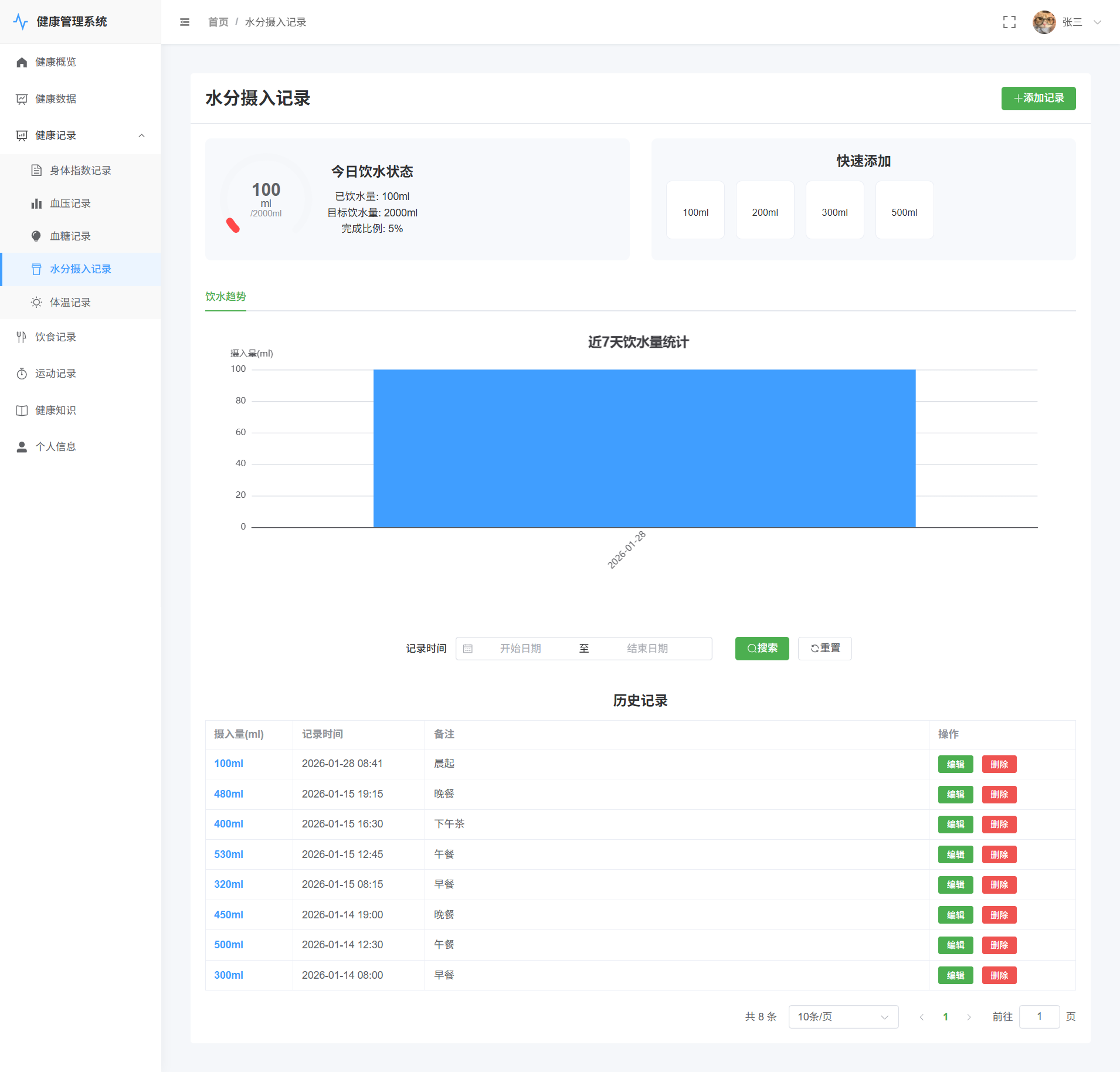
系统登录/注册
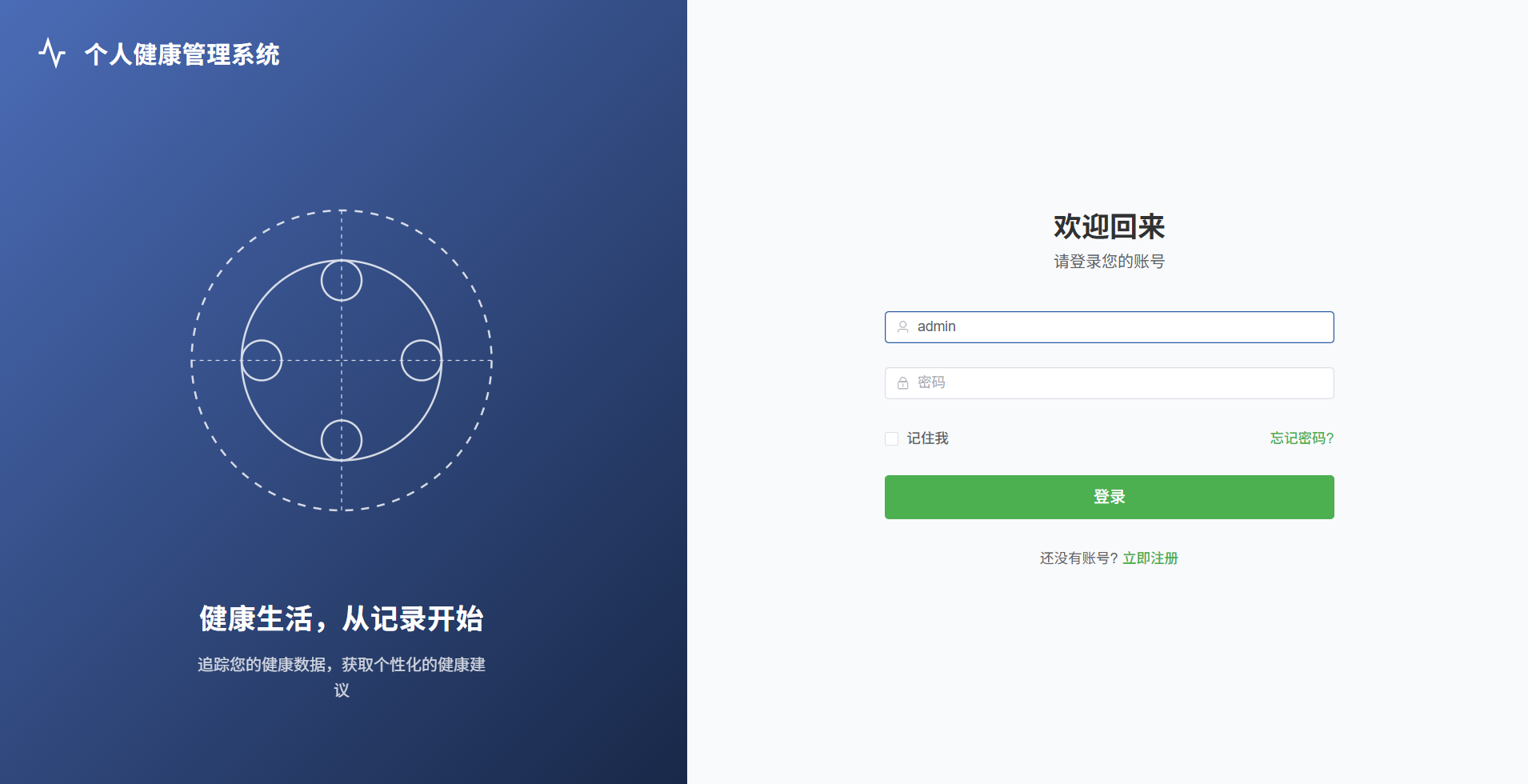
用户->健康数据
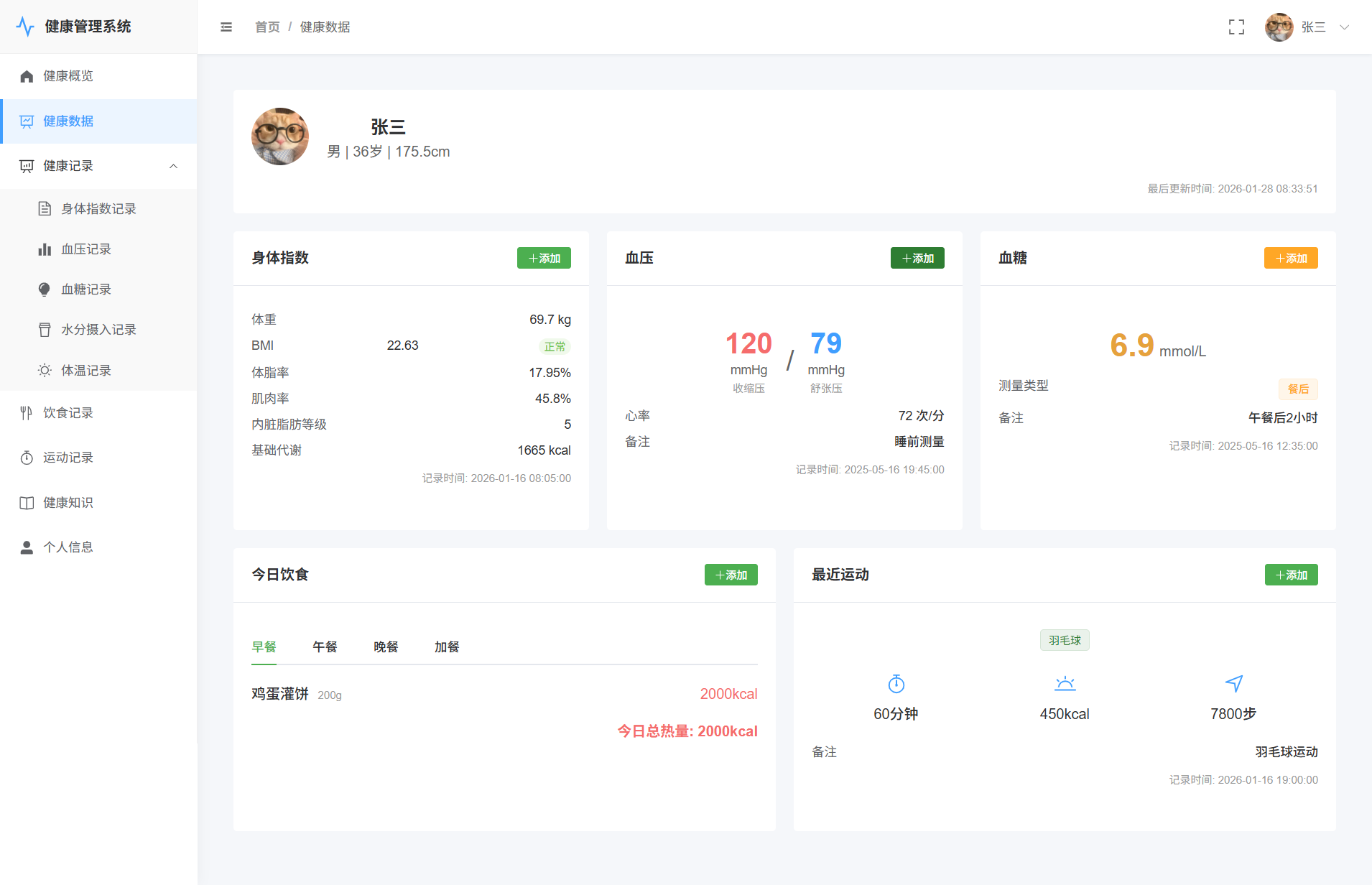
用户->血压记录
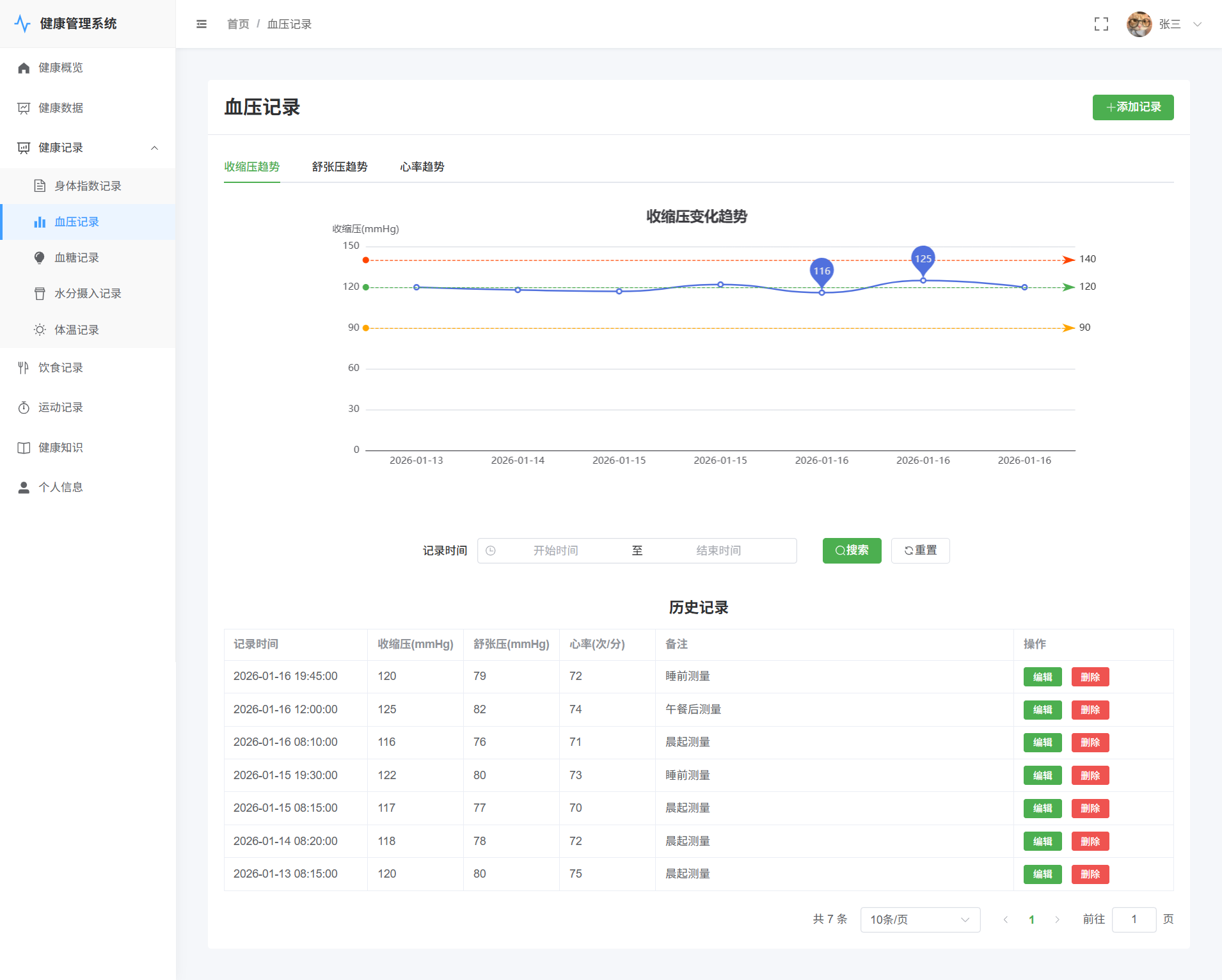
用户->水分摄入记录
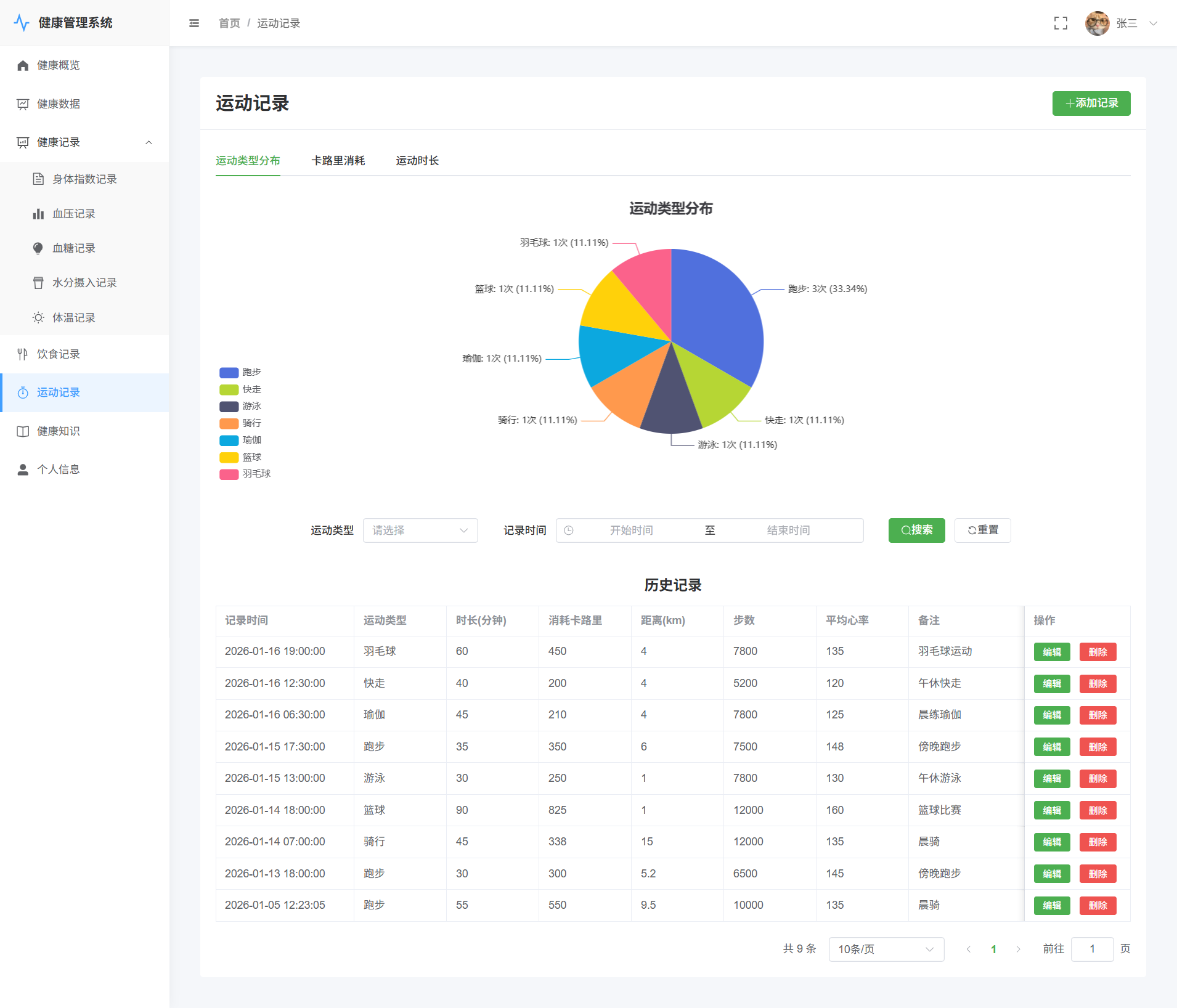
用户->运动记录
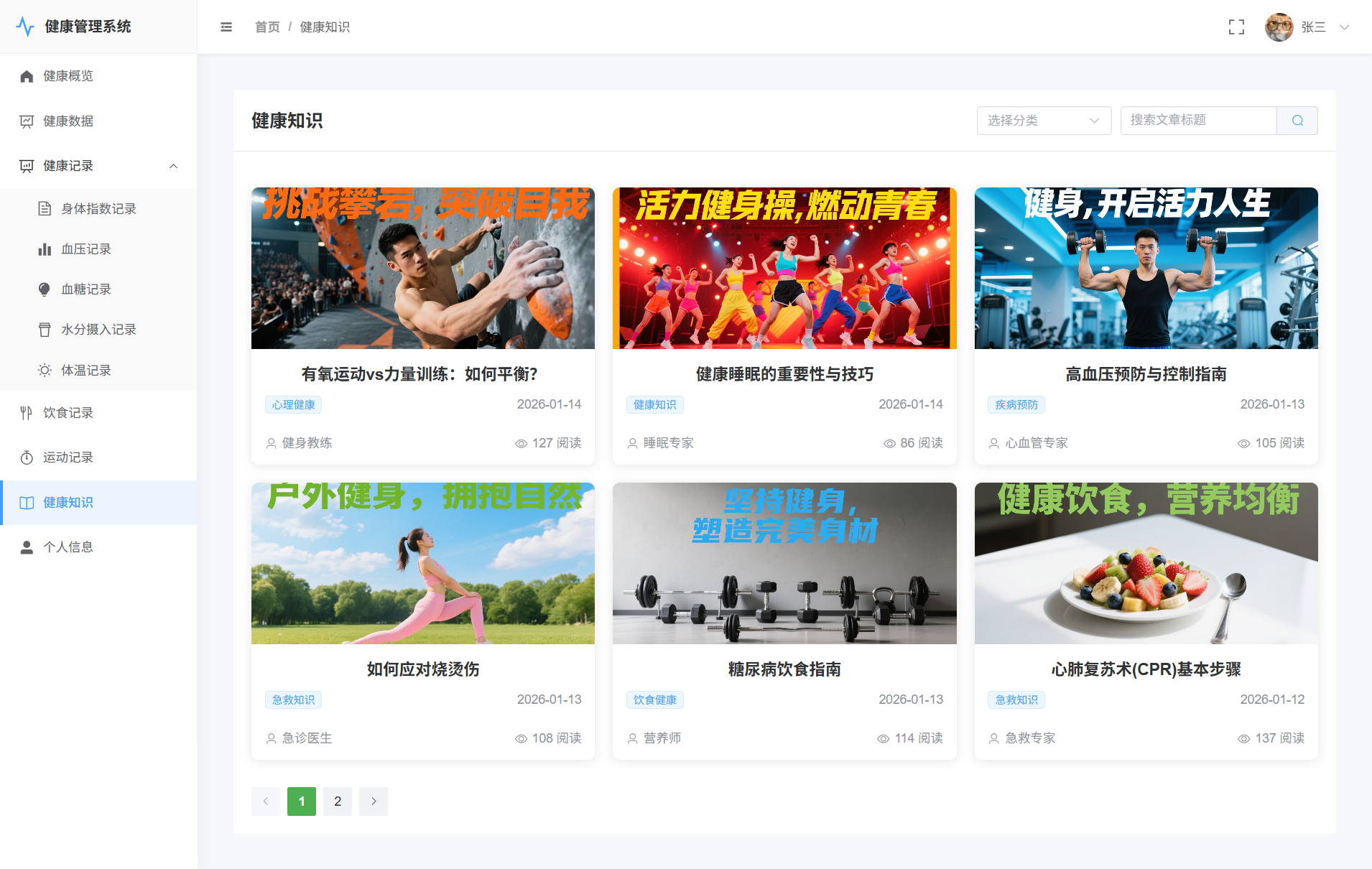
用户->健康知识
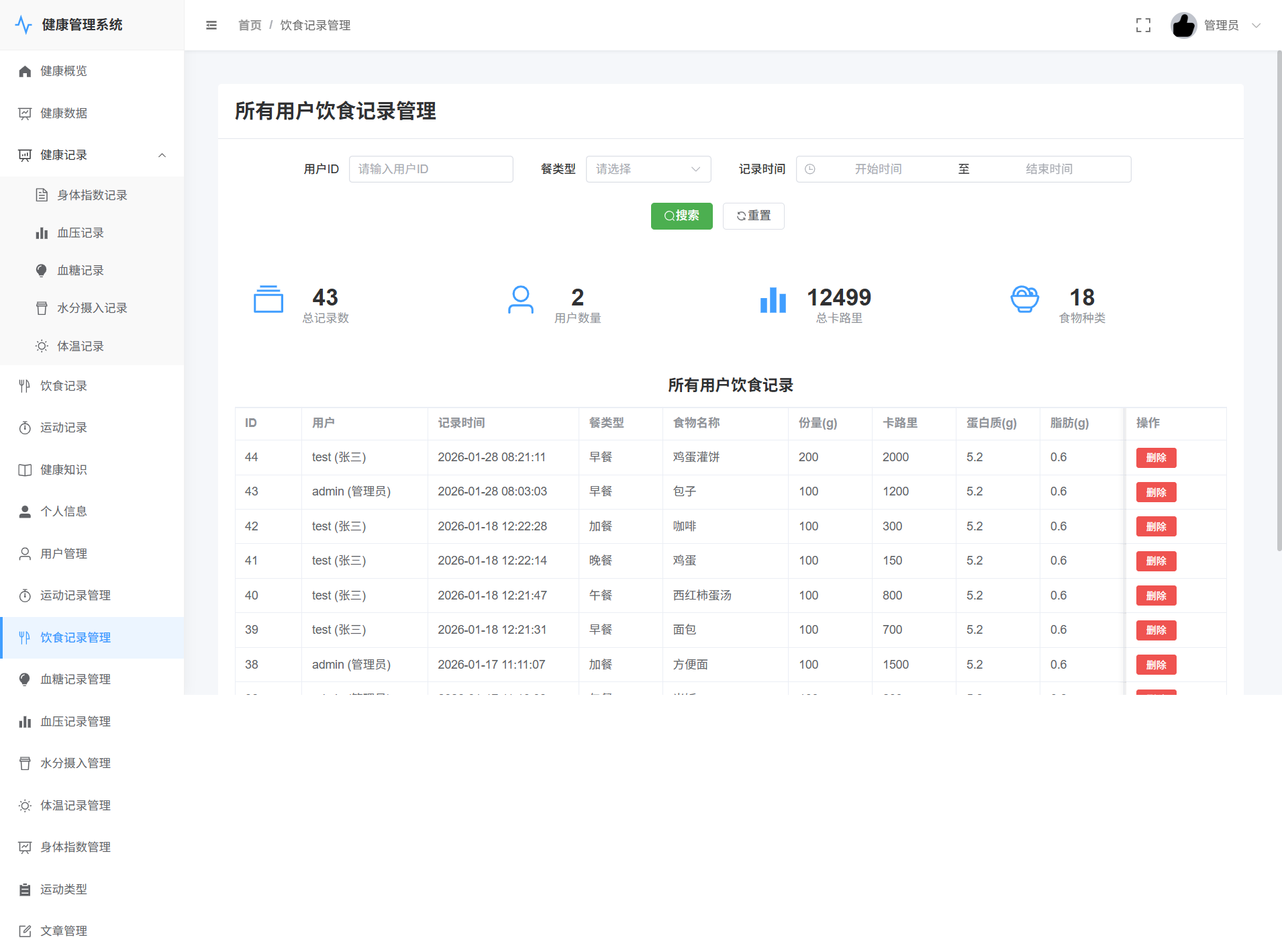
管理员->饮食记录管理
源码展示
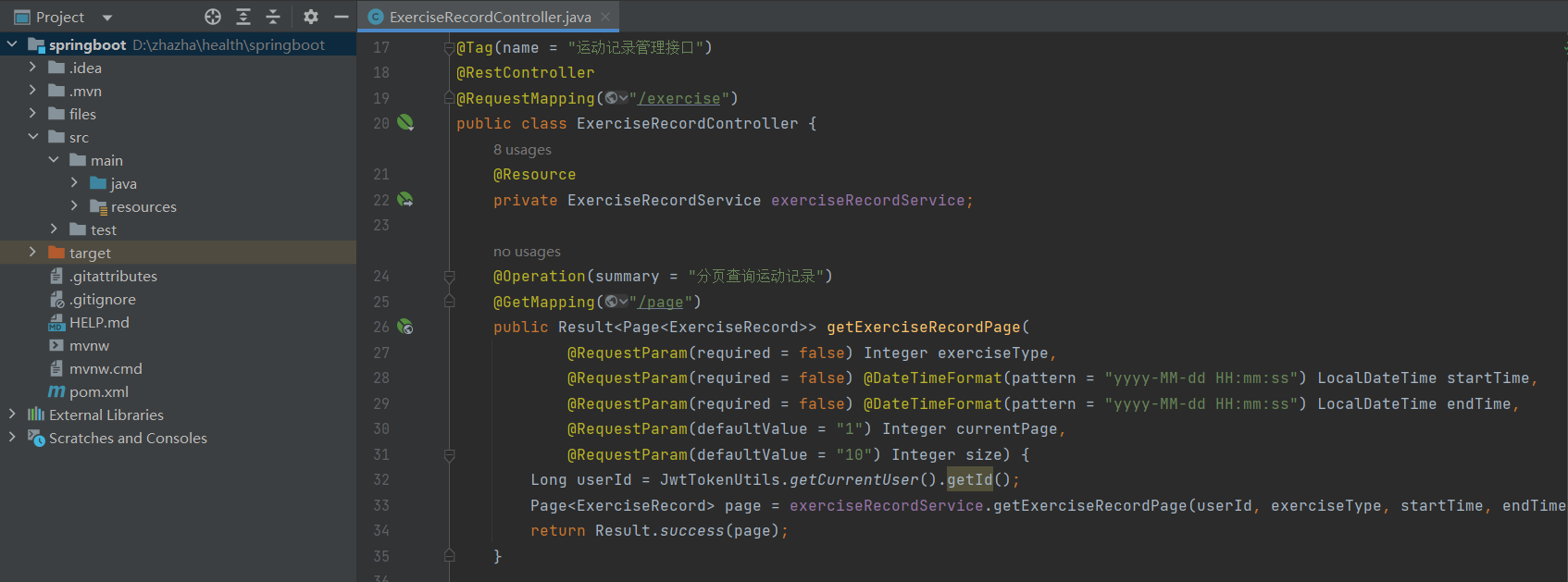
@Tag(name = "运动记录管理接口")
@RestController
@RequestMapping("/exercise")
public class ExerciseRecordController {
    @Resource
    private ExerciseRecordService exerciseRecordService;

    @Operation(summary = "分页查询运动记录")
    @GetMapping("/page")
    public Result> getExerciseRecordPage(
            @RequestParam(required = false) Integer exerciseType,
            @RequestParam(required = false) @DateTimeFormat(pattern = "yyyy-MM-dd HH:mm:ss") LocalDateTime startTime,
            @RequestParam(required = false) @DateTimeFormat(pattern = "yyyy-MM-dd HH:mm:ss") LocalDateTime endTime,
            @RequestParam(defaultValue = "1") Integer currentPage,
            @RequestParam(defaultValue = "10") Integer size) {
        Long userId = JwtTokenUtils.getCurrentUser().getId();
        Page page = exerciseRecordService.getExerciseRecordPage(userId, exerciseType, startTime,
                                    endTime, currentPage, size);
        return Result.success(page);
    }

    @Operation(summary = "管理员查询所有用户的运动记录")
    @GetMapping("/admin/page")
    public Result> getAllExerciseRecordPage(
            @RequestParam(required = false) Long userId,
            @RequestParam(required = false) Integer exerciseType,
            @RequestParam(required = false) @DateTimeFormat(pattern = "yyyy-MM-dd HH:mm:ss") LocalDateTime startTime,
            @RequestParam(required = false) @DateTimeFormat(pattern = "yyyy-MM-dd HH:mm:ss") LocalDateTime endTime,
            @RequestParam(defaultValue = "1") Integer currentPage,
            @RequestParam(defaultValue = "10") Integer size) {
        // 此接口仅管理员可用,权限检查在服务层进行
        Page page = exerciseRecordService.getAllExerciseRecordPage(userId, exerciseType, startTime,
                                    endTime, currentPage, size);
        return Result.success(page);
    }

    @Operation(summary = "添加运动记录")
    @PostMapping
    public Result addExerciseRecord(@RequestBody ExerciseRecord exerciseRecord) {
        exerciseRecordService.addExerciseRecord(exerciseRecord);
        return Result.success();
    }

    @Operation(summary = "更新运动记录")
    @PutMapping("/{id}")
    public Result updateExerciseRecord(@PathVariable Long id, @RequestBody ExerciseRecord exerciseRecord) {
        exerciseRecord.setId(id);
        exerciseRecordService.updateExerciseRecord(exerciseRecord);
        return Result.success();
    }

    @Operation(summary = "删除运动记录")
    @DeleteMapping("/{id}")
    public Result deleteExerciseRecord(@PathVariable Long id) {
        exerciseRecordService.deleteExerciseRecord(id);
        return Result.success();
    }

    @Operation(summary = "获取运动统计数据")
    @GetMapping("/stats")
    public Result<Map<String, Object>> getExerciseStats(
            @RequestParam(required = false) @DateTimeFormat(pattern = "yyyy-MM-dd HH:mm:ss") LocalDateTime startTime,
            @RequestParam(required = false) @DateTimeFormat(pattern = "yyyy-MM-dd HH:mm:ss") LocalDateTime endTime) {
        Long userId = JwtTokenUtils.getCurrentUser().getId();
        Map<String, Object> stats = exerciseRecordService.getExerciseStats(userId, startTime, endTime);
        return Result.success(stats);
    }

    @Operation(summary = "管理员获取所有用户的运动记录统计数据")
    @GetMapping("/admin/stats")
    public Result<Map<String, Object>> getAllExerciseStats(
            @RequestParam(required = false) Long userId,
            @RequestParam(required = false) Integer exerciseType,
            @RequestParam(required = false) @DateTimeFormat(pattern = "yyyy-MM-dd HH:mm:ss") LocalDateTime startTime,
            @RequestParam(required = false) @DateTimeFormat(pattern = "yyyy-MM-dd HH:mm:ss") LocalDateTime endTime) {
        // 此接口仅管理员可用,权限检查在服务层进行
        Map<String, Object> stats = exerciseRecordService.getAllExerciseStats(userId, exerciseType, startTime,
                                    endTime);
        return Result.success(stats);
    }

    @Operation(summary = "获取最新运动记录")
    @GetMapping("/latest")
    public Result getLatestExerciseRecord(
            @RequestParam(required = false) Long userId) {
        // 如果未提供用户ID,则使用当前登录用户
        if (userId == null) {
            userId = JwtTokenUtils.getCurrentUser().getId();
        }
        ExerciseRecord latestRecord = exerciseRecordService.getLatestExerciseRecord(userId);
        return Result.success(latestRecord);
    }
}
账号地址及其它说明
1、地址说明
2、账号说明
用户:test/123456
管理员:admin/123456
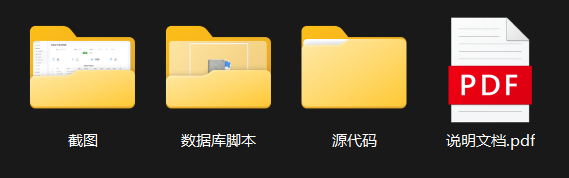
3、目录结构展示
4、项目结构展示
5、运行步骤
1、创建数据库、导入sql脚本
2、修改application.properties中的数据库配置文件,启动服务端
3、在前端根目录下打开cmd,执行npm install下载依赖
4、下载完毕后启动前端npm run dev,访问端口